Kortex Digital is an advertising and digital agency in Istanbul that offers wireframing services for websites, panels and mobile apps. Before any color or imagery, we map which information sits on each screen, in what order and at what size, so layout decisions happen while they are easy to change.
Services / Digital Experience
Wireframing services in Istanbul
↓
Clear direction with fast, low-cost skeletons.
What do wireframing services include?
A wireframe is the skeleton of a screen. It has no colors, photos or brand fonts, only gray boxes, heading slots, buttons and real or near-real text. It answers one question: is the right information in the right order? Moving a box in a wireframe takes minutes. The same change costs more in a colored design and far more on a coded screen.
We draw wireframes once the user flow is clear. The flow says which screens you need, and the wireframe plans what goes inside each one. Depending on scope, we deliver:
- A screen list with a one-sentence purpose for each screen
- Separate desktop and mobile skeletons
- Content hierarchy: heading, description, image area and button order
- Navigation: menus, tabs and filters
- Skeletons for empty, loading and error states
- Placement of form fields and alert messages
- Short notes that explain each decision
We build wireframes in Figma, and the same file grows into a clickable prototype or the final interface.
How we work
The examples come from data-heavy panels and mobile apps.
- Listen. We ask who opens the screen and for which task. Car Tracking is an operations panel for fleet and vehicle tracking that shows live location and driving data. The first question for a panel like this: what should users see the moment they open it?
- Connect. We turn the flow into a screen list and give each screen one purpose. The Clean Lab Web page for lab and test management highlights clear information architecture and strong visual hierarchy. That hierarchy is first drawn in the wireframe.
- Explore. We sketch two or three layouts for the same screen and choose side by side. Trading Web App puts live charts and order management in one web app. Here, the chart, order form and summary figures are placed with boxes before any color.
- Refine. We roll the chosen layout out to every screen and size. Real Estate App combines listing search, comparison and tour planning, and each one needs its own skeleton on a phone.
- Create. We hand approved wireframes and their notes to the interface designer and the developer. Empty lists, loading and error screens get their own lines in the set, so nobody has to guess them later.
Wireframing in our work
These project pages show how information is ordered on screen.
- Car Tracking: a fleet and vehicle tracking panel for live location and driving data.
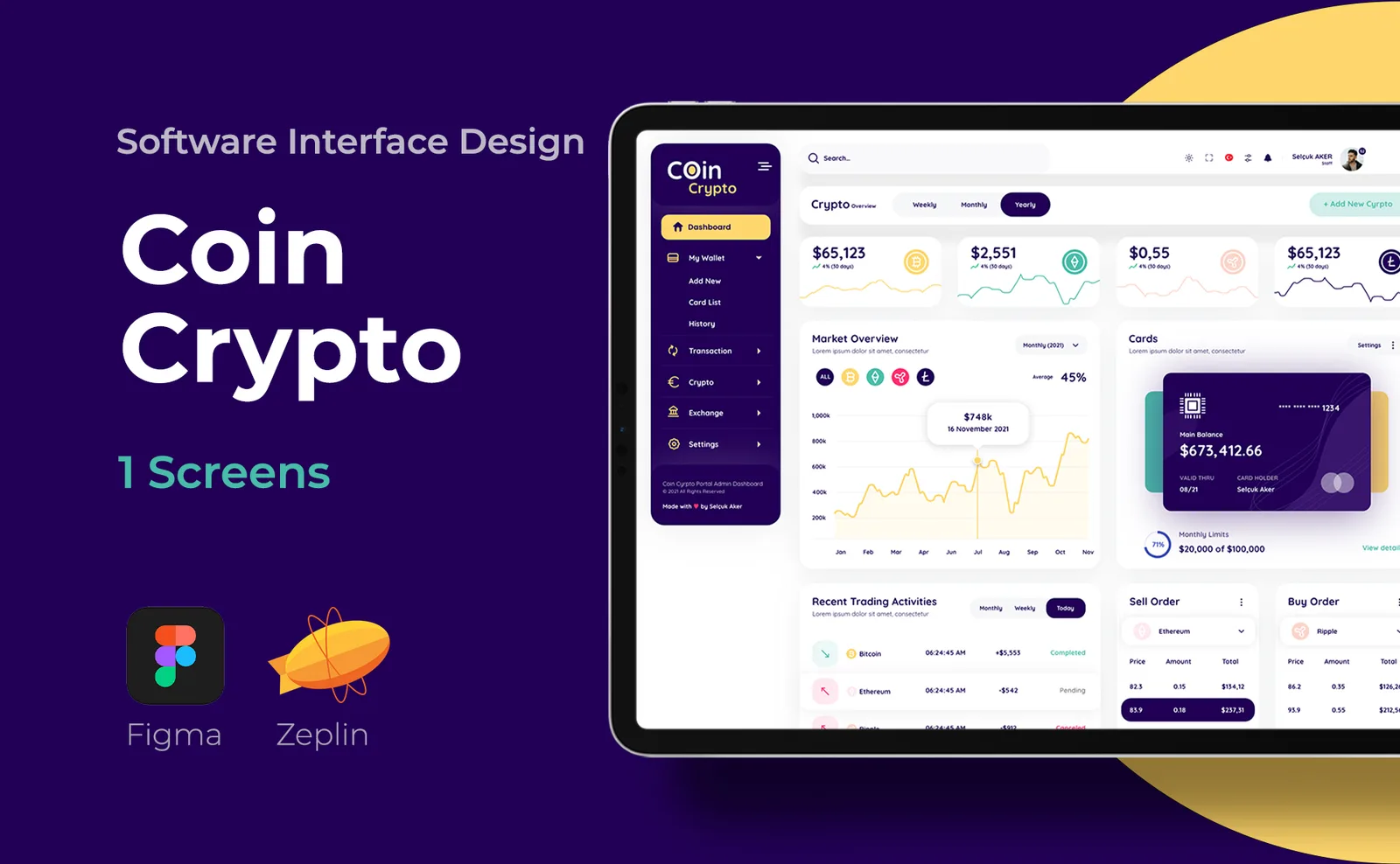
- Clean Lab Web: a lab and test management interface with a clear information hierarchy.
- Trading Web App: a trading platform with live charts and order management.
- Hosting Market Place: a hosting and domain marketplace built around comparison.
- Determinant App: a decision support app that shows data on simple cards for quick choices.
- Real Estate App: property search, comparison and tour planning in one app.
- Fiyatla App: a price comparison app for scanning products quickly.
See all our work for more.
What affects the cost of wireframing services?
We don't publish fixed package prices. The figure comes once the scope is clear, based on:
- Number of screens and how much data each carries
- Separate skeletons for desktop, tablet and mobile
- User roles, such as customer, team and admin views
- Whether empty, loading and error states are included
- Your own copy or placeholder text
- Whether the user flow is ready
- Whether a prototype or interface design follows
Design tool licenses and development are listed separately. You can also order wireframes alone: if you have a design team, we draw the skeleton and leave the interface to them.
Wireframe, UI design and prototype: what is the difference?
| Topic | Wireframe | UI design | Prototype |
|---|---|---|---|
| Question it answers | What is on the screen, in what order? | How does the screen look? | How do users move between screens? |
| Color and images | None, gray boxes | Yes, from your brand guidelines | Built on wireframes or the final UI |
| Clickable? | No | No | Yes |
| Ease of change | Very easy | Moderate | Changes along with its links |
| Who uses it? | Product owner and design team | Developers | Test users, the team, investors |
UX research and the user flow come before the wireframe. In the interface stage, screens are drawn with design system components. The full chain is on our UI/UX design page.
Why Kortex Digital?
- The team that draws the wireframe also designs the interface. A UI/UX designer, an art director and a software developer work together, so technical limits come up early.
- Our panel, marketplace and mobile app work is on the site, screen by screen.
- Our office is at Axis İstanbul in Eyüpsultan, Istanbul. We review wireframes in person or remotely in Figma.
- Wireframes, interface design and prototypes are separate proposal lines, so you can pick the stage you need.
For a website, see website design. For a phone app, see mobile app design. Other services are on the digital agency in Istanbul page.
Frequently asked questions
What is a wireframe, and why does it come before design?
A wireframe is a colorless skeleton of a screen that shows which information sits where, in what order and at what size. It comes first because layout mistakes are cheap to fix at this stage and cost more in a colored design or in code.
How is the cost of wireframing services set?
Screen count, data density, separate desktop and mobile skeletons, user roles and whether empty, loading and error states are included set the cost. We don't quote fixed packages; the figure comes once scope is clear. A prototype or interface design after the wireframes gets its own line in the proposal.
What is the difference between low-fidelity and high-fidelity wireframes?
A low-fidelity wireframe is a rough sketch of boxes, lines and placeholder text that changes easily. A high-fidelity wireframe has real copy, real dimensions and button labels, still without color. For a new product, we start rough and add detail once the layout is approved.
Which tool do you use, and do I get the file?
We build wireframes in Figma, so you can comment directly on the screens. At handover, we share the Figma file and PDFs if needed. The interface design continues in the same file, so the colored screens build on the skeleton instead of starting over.
Is a wireframe the same as a mockup?
No. A wireframe is a colorless skeleton that settles layout. A mockup is a near-final view with color, typefaces and images that settles appearance. Neither is clickable; the clickable version is the prototype. Small projects can go from wireframe straight to interface design.
Does a corporate website need wireframes?
For a site with few pages and settled content, a short set is enough, often a home page and one inner page. For sites with product lists, filters, forms or memberships, we wireframe every page template. We decide this with the page list in the website design proposal.
Define the scope.
Together, we clarify the goals, audience and scope of the project.
Develop the design.
We explore the visual direction through concrete examples, then refine it with your feedback.
Prepare for handover.
We hand over the agreed files and usage details in an organised format.
RELATED PROJECTS